9 Types of Content Best Read on e-Reader
You can read almost anything on your phone.
That does not mean you should.
Phones are great for quick updates, short posts, and skimming. But when it comes to deeper reading, they quietly work against you—notifications, glare, eye strain, and the constant urge to switch apps.
That is where e-readers like Kindle come in. They are not faster. They are better. Especially for the kind of content that deserves your full attention.
In this guide, we will break down the best content for Kindle and e-reader, what works beautifully on e-ink, what does not, and how to build a reading workflow that actually sticks.
Why not all online content belongs on a phone
Most online content is designed for speed, not depth.
Phones encourage:
- quick scanning instead of deep reading
- frequent interruptions
- short attention loops
- constant context switching
That works fine for headlines, tweets, and short updates.
But when you try to read a 3,000-word essay, a thoughtful newsletter, or a dense PDF on your phone, something feels off. You skim more. You retain less. You are more likely to abandon it halfway.
E-readers flip that dynamic.
- no notifications
- no multitasking pressure
- e-ink that is easier on the eyes
- a reading-first environment
The result is simple: you finish more of what you start.
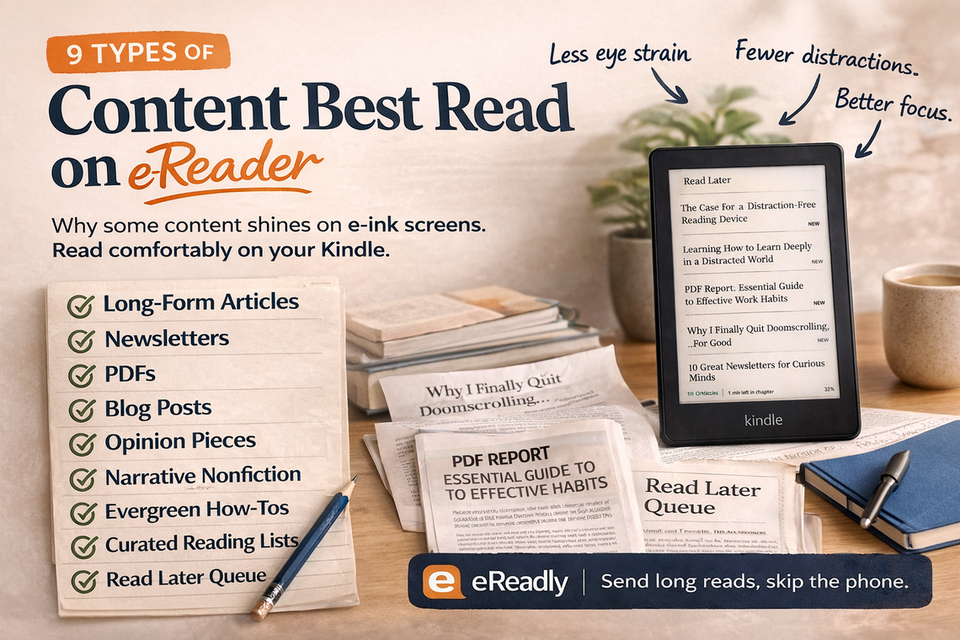
9 types of content that shine on Kindle and e-reader
Not everything belongs on e-ink. But some content becomes dramatically better there.
1. Long-form articles
This is the most obvious one.
Think essays, deep blog posts, and long reads from sites like Aeon, The Atlantic, or Longreads. These are usually 2,000–5,000 words and require sustained attention.
On a phone, they feel heavy.
On a Kindle, they feel natural.
Why it works: fewer distractions, better focus, more likely to finish
2. Newsletters (the ones you actually want to read)
Your inbox is full of newsletters. Most of them get ignored.
But the good ones—thoughtful, well-written, and idea-driven—are perfect for e-readers.
Instead of scanning them between meetings, you can batch them and read them like a curated magazine.
Why it works: turns inbox clutter into intentional reading
3. PDFs (reports, papers, guides)
PDFs are notoriously painful on phones.
Zooming, scrolling, losing your place—it is not a great experience.
On e-readers, especially with clean formatting or conversion, PDFs become much more manageable.
Best use cases:
- research papers
- business reports
- whitepapers
- guides and manuals
Why it works: better layout stability and less eye strain
4. Blog posts worth revisiting
Some blog posts are not just quick reads—they are reference-worthy.
Things like:
- career advice
- deep tutorials
- essays you want to think about
Saving them to an e-reader makes it more likely you will revisit and actually absorb them.
Why it works: moves important content out of the noise
5. Opinion and analysis pieces
Opinion writing benefits from focus.
Whether it is political analysis, cultural commentary, or industry insights, these pieces are often nuanced and require attention.
Reading them on a phone often leads to skimming or distraction.
Why it works: better comprehension and reflection
6. Narrative nonfiction
Stories matter. And narrative nonfiction—profiles, long interviews, reported features—often reads like a book chapter.
This is where e-readers really shine.
Examples:
- long interviews
- personal essays
- reported storytelling
Why it works: immersive reading experience
7. Evergreen how-to content
Some guides are too long to skim but too valuable to ignore.
Instead of bookmarking them and forgetting, sending them to your Kindle makes them part of your reading queue.
Examples:
- “how to learn X”
- deep tutorials
- step-by-step guides
Why it works: encourages completion instead of procrastination
8. Curated reading lists
Sometimes you collect multiple articles around a theme.
Instead of jumping between tabs, you can send them all to your e-reader and read them in sequence.
This works especially well for:
- weekend reading
- research topics
- thematic deep dives
Why it works: turns scattered links into a cohesive reading session
9. Personal reading backlog (your “read later” list)
Everyone has one.
Bookmarks. Open tabs. Saved links. Notes.
Most of it never gets read.
An e-reader changes that dynamic. When content leaves the browser and lands on your Kindle, it becomes something you are far more likely to finish.
Why it works: shifts from collecting to completing
What usually does not work well on e-readers
Not everything improves on e-ink.
These types of content are better left on your phone or laptop:
- highly interactive pages
- dashboards and tools
- image-heavy content (design galleries, photography)
- fast-moving news updates
- social media threads
If the value depends on interaction or visuals, it probably does not belong on a Kindle.
How to decide what to save for later
A simple rule helps:
If it requires focus, send it to your e-reader.
If it is quick or disposable, read it on your phone.
You can also ask:
- Will this take more than 5 minutes to read?
- Do I want to actually understand or just skim?
- Would I enjoy reading this in a quiet setting?
If the answer is yes, it belongs on your Kindle.
Examples from real reading habits
A simple weekly flow might look like this:
- During the week:
- discover articles, essays, and newsletters
- send the good ones to your e-reader
- Once or twice a week:
- sit down with your Kindle
- read through your saved content without distractions
This separation—discovery vs reading—is what makes the system work.
How eReadly helps route the right content to Kindle and e-reader
The hardest part is not deciding what to read.
It is making it easy to move content into the right place.
That is where eReadly fits naturally into the workflow.
- One-click sending from browser — send articles directly while you are reading
- Clean EPUB output — removes ads, sidebars, and clutter
- Fast delivery (usually under 30 seconds) — minimal friction
- Bulk import — send multiple URLs at once for batch reading
- RSS feeds — turn favorite sites into automatic reading digests
- File upload support — send PDFs, EPUBs, and documents
- Send history — revisit and resend what matters
Instead of thinking about “saving content,” you are simply routing it:
- phone → discovery
- e-reader → reading
That small shift makes a big difference.
Final thoughts
The goal is not to read more content.
The goal is to read better.
When you start choosing the best content for Kindle and e-reader, something changes. You stop skimming everything and start finishing what matters.
Long-form articles, thoughtful newsletters, deep analysis, and meaningful writing all feel different on an e-reader. Slower, calmer, more complete.
And once you have a simple way to move content there—something like eReadly that lets you send articles in one click and read them later without clutter—the habit becomes easy to keep.
The web is where you discover ideas.
Your e-reader is where you actually think about them.